
AI Max for Search: The Complete Setup and Controls Guide
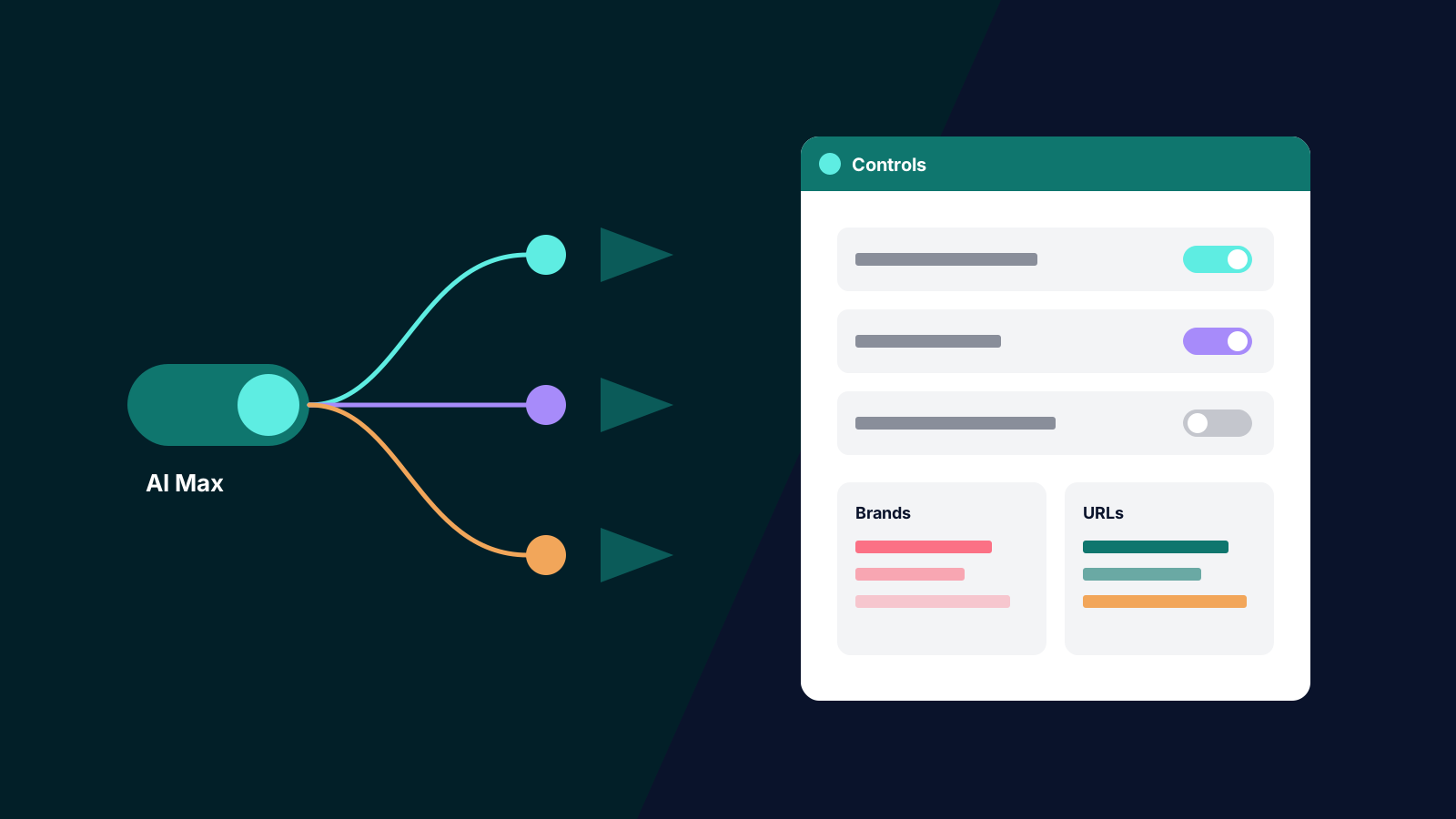
AI Max for Search is no longer something you decide to try. New Search campaigns now have it switched on by default, and September's automatic upgrades moved a large share of existing campaigns into it whether anyone clicked a button or not. That makes it the most consequential setting in most Google Ads accounts right now and one of the least understood: three behaviours behind one toggle, with controls scattered across campaign settings, ad group settings and the shared library.
This guide is written so a paid search manager can set AI Max up, or audit an account that already has it, from this page alone: what it is, how it differs from broad match, Dynamic Search Ads and Performance Max, setup steps, every control and its default, a checklist, and how to read performance. Feature names and control locations are checked against Google Ads Help as at late October 2026.
What AI Max for Search Actually Is
AI Max is not a campaign type. Google describes it as an optimisation layer inside a standard Search campaign: your ad groups, keywords, bidding and budget stay where they were, and AI Max changes which queries the campaign finds and what it shows. According to Google's overview of how AI Max works, it has three features.
Search term matching extends reach beyond your keywords using broad match, plus what Google calls asset-based and landing page-based technology. In practice the campaign can match queries for which you have no relevant keyword at all ("keywordless" matching), using your ads, assets and landing pages as the signal. It is controlled at ad group level.
Text customisation (Google spells it "Text customization", and it was formerly called automatically created assets) generates headlines and descriptions from your existing ad text, your landing pages and your other assets, with generative AI on top. It is a campaign-level control.
Final URL expansion sends a click to whichever page on your site Google judges most relevant to the query, rather than always using the final URL you set. It is a campaign-level control, and it requires text customisation: turn text customisation off and final URL expansion goes with it, because a new landing page needs copy that fits it.
Google's headline claim, from the May 2025 launch announcement, is that advertisers who activate AI Max "typically see 14% more conversions or conversion value at a similar CPA/ROAS", rising to 27% for campaigns still mostly on exact and phrase match. Treat both as Google's own figures from its internal data for non-retail advertisers, not as a forecast for your account. In our experience the uplift is real in some accounts and absent in others, and the difference is usually measurement quality and controls. We gave the strategic background in Google's AI Max: what advertisers need to know; this piece is the operating manual.
How AI Max Differs From Broad Match, DSA and Performance Max
Broad match
Broad match is still a keyword. It expands from a word you chose, interpreted with Smart Bidding signals, as we covered in making broad match and Smart Bidding work together. AI Max search term matching includes broad match behaviour but goes further: it can match queries no keyword in the ad group relates to, based on your assets and landing pages. It also changes the ad and the destination, which broad match never did. One quiet change: Google's help now notes that broad keywords are not given exact match priority once you move to AI Max or switch off the old campaign-level broad match setting. If you relied on that behaviour, add exact match copies of the keywords that matter.
Dynamic Search Ads
DSA was keywordless targeting from your website content with dynamically generated headlines and landing pages. AI Max does the same jobs with better controls and reporting, which is why Google is retiring DSA into it. The key difference: DSA lived in separate dynamic ad groups, whereas AI Max operates inside your keyword ad groups, so its expanded traffic is reported alongside your keyword traffic.
Performance Max
Performance Max is a separate campaign type across every Google channel, with search themes rather than keywords and far less query-level control. AI Max stays on the Search network inside a Search campaign, keeps ad group structure, keeps ad group and campaign negative keywords, and reports search terms in full. Google's prioritisation rules still give an identical exact match keyword in a Search campaign priority over Performance Max. If you have been frustrated by the Performance Max black box, AI Max is the more transparent route to the same kind of expanded reach on Search.
The September 2026 Migration in One Paragraph
From 1 September 2026, Google automatically upgraded Search campaigns that used automatically created assets or the campaign-level broad match setting into AI Max, as it set out in its upgrade announcement. Campaigns that used automatically created assets came across with search term matching and text customisation on; campaigns that used the broad match setting came across with search term matching only. Dynamic Search Ads were originally part of the same move, but Google pushed the DSA upgrade back to February 2027 after advertiser feedback, so DSA campaigns are still running as DSA for now. If your account had either setting on in August, check every Search campaign's AI Max section today: the defaults it inherited were chosen for Google, not for you.
Setting Up AI Max, Step by Step
The order below is the one we use, because it puts the guardrails in before the traffic arrives.
- Check the foundations first. AI Max relies on conversion data. Google says its features need a conversion-based Smart Bidding strategy to work effectively, and under Manual CPC it cannot do most of what it is for. It also warns that AI Max will not be effective in a campaign limited by budget.
- Build your brand lists. Go to Tools, then Shared library, then Brand lists, and create a list for your own brand and, if relevant, lists of competitor or reseller brands.
- Turn AI Max on. For a new campaign it is already on: create a Search campaign and AI Max is selected by default. For an existing campaign, go to Campaigns, then Settings, select the campaign, choose AI Max in the section menu and toggle it on. To change several campaigns at once, select them on the Settings page and use Edit, then "Change AI Max settings".
- Choose your features at campaign level. Decide whether text customisation and final URL expansion stay on. Search term matching must be on at campaign level before any ad group can use it.
- Add text guidelines. In the asset optimisation panel under the AI Max toggle, add term exclusions and messaging restrictions (covered below) before any generated copy serves.
- Set brand controls and URL exclusions. Apply brand exclusions and inclusions in the Brands section of the AI Max settings, and add URL exclusions under final URL expansion for every page that should never be a landing page.
- Configure each ad group. On the ad group, review search term matching, add URL inclusions where needed, set ad group brand inclusions, and add locations of interest if geography is part of the intent.
- Test it, if you can afford the time. Run AI Max as an experiment against the current set-up rather than switching it on everywhere. Our guide to running experiments that produce trustworthy results covers duration, split and what to judge it on.
Every Control, and When to Change It
The table summarises every control; the notes below cover the ones that need judgement.
| Control | Level | Default when AI Max is on | Change it when |
|---|---|---|---|
| Search term matching | Campaign and ad group | On | An ad group must stay tightly scoped |
| Text customisation | Campaign | On | Copy is legally or clinically constrained |
| Final URL expansion | Campaign | On | Some pages convert badly or should not land traffic |
| Brand exclusions | Campaign | None set | Always, for non-brand campaigns |
| Brand inclusions | Campaign and ad group | None set | A campaign should serve only on named brands |
| URL exclusions | Campaign | None set | Always, for careers, legal, blog and support pages |
| URL inclusions | Ad group | None set | A relevant page was not being chosen |
| Locations of interest | Ad group | None set | Queries name places you serve |
| Text guidelines | Campaign | None set | Always, before generated copy serves |
| Negative keywords | Campaign and ad group | Your existing lists | Weekly, from the search terms report |
Search term matching at ad group level
The most useful control in AI Max, and the most overlooked. You can leave search term matching on at campaign level and switch it off in specific ad groups, and those ad groups revert to ordinary keyword matching. Our usual pattern: off for brand ad groups and for any ad group where a wrong match is expensive (regulated services, high-cost clicks with narrow intent), on for the broader category ad groups where discovery is the point.
Text customisation and text guidelines
Text customisation writes copy you did not approve, so this is where brand risk sits. Text guidelines are the control: up to 25 term exclusions per campaign (exact words or phrases that must not appear, not case sensitive) and up to 40 messaging restrictions (plain-language instructions such as "do not mention discounts or free delivery"). Guidelines also apply to assets already generated, which stop serving if they break the new rules, and Google still labels the feature an experimental beta, so check the output rather than assuming compliance. A worked example for an Australian financial services client: term exclusions for "guaranteed", "free", "lowest rate" and "no fees"; messaging restrictions saying "do not make claims about approval times" and "do not mention specific interest rates". Text customisation draws on your own ads, so our advice on writing responsive search ad headlines applies doubly here.
Final URL expansion and URL rules
Final URL expansion can find better pages than you chose, or send paid traffic to a careers page or blog post. URL exclusions are set at campaign level (under final URL expansion, "Add URL exclusions") and should be routine: careers, legal, privacy, login, support, blog and any page without a conversion path. URL inclusions work the other way, at ad group level, pointing AI Max to pages it was not picking up. Two side effects to know: pinned assets in your responsive search ads are not used when final URL expansion or a URL inclusion selects a more relevant page, so pinned compliance text is not a guarantee; and if you later turn AI Max off, your URL exclusions and inclusions are ignored. With expansion on, the page carries the message, so landing page alignment matters more under AI Max, not less.
Brand inclusions and exclusions
Brand lists solve the most common AI Max failure we see: a generic campaign quietly matching brand queries, then reporting a lovely conversion rate that was always going to happen. On every non-brand campaign, apply your own brand list as a brand exclusion. Exclusions are campaign level only. Brand inclusions work at campaign or ad group level (an ad group's inclusions override the campaign's), so a brand campaign can keep AI Max's expansion within brand-related queries. Whether that brand spend is worth it is a separate question, covered in should you bid on your own brand.
Locations of interest
Locations of interest, set per ad group, let AI Max reach people based on the place they are searching about, including in keywordless matches, and Google says the control is exclusive to AI Max. It suits travel and property, and multi-location service businesses: a Melbourne clinic group can create ad groups with Geelong, Ballarat and Bendigo as locations of interest instead of maintaining dozens of "service plus suburb" keywords.
Negative keywords
Negatives still apply at campaign and ad group level and remain your fastest corrective; review them more often, because the matching surface is wider. The disciplines from our piece on negatives apply unchanged, and the search terms report now lets you add both negative keywords and negative URLs directly from a row.
AI Max Setup Checklist
Run this on every AI Max campaign, including any Google upgraded in September.
- Conversion-based Smart Bidding is in place and the primary conversion actions are the ones you want to buy.
- The campaign is not limited by budget.
- Your own brand list is applied as a brand exclusion on every non-brand campaign.
- Competitor or reseller brands are excluded where you do not want to appear on them.
- URL exclusions cover careers, legal, privacy, login, support, blog and any page without a conversion path.
- Text guidelines are set: term exclusions for banned claims, messaging restrictions for tone and offers.
- Generated headlines and descriptions have been reviewed in the asset report, and anything off-brand removed.
- Search term matching is switched off in ad groups that must stay tightly scoped, including brand ad groups.
- Exact match copies exist for keywords that previously relied on broad match priority.
- Locations of interest are set where queries name places you serve.
- Shared negative keyword lists are attached and a weekly search terms review is booked.
- A baseline period is recorded, or an experiment is running, so the change can be judged.
Reading AI Max Performance
Google's AI Max reporting guide is worth bookmarking. Four views do most of the work.
The search terms report. AI Max traffic appears with "AI Max" in the Match type column; add the Source column to see it in the default view. One trap: filtering for "AI Max" excludes the "Other search terms" row, so filtered totals understate AI Max traffic.
Search terms and ad combinations. This view, previously called "Search terms and landing pages from AI Max", shows each search term alongside the headline and landing page that served, with campaign and ad group. It sits in the views dropdown on the search terms page; the renamed version has been rolling out to accounts since October 2026, so if you still see the old name, it is the same report. This is where you find mismatches: a cheap query landing on a premium product page, or a generated headline promising something the page does not deliver.
The keywords report totals. At the bottom of the keywords table, two aggregate rows split AI Max traffic: "Total: AI Max expanded matches" (traffic from AI Max's broad expansion) and "Total: AI Max landing page matches" (queries matched through landing pages or assets). Comparing their cost per conversion with your keyword rows is the quickest health check we know.
Asset and landing page reports. In the asset reports, generated text is marked "Google AI" in the "Added by" column, and an "Expanded final URL assets" tab shows the URL and asset pairings served by final URL expansion. The landing pages report has a "Selected by" column showing which URLs AI Max chose, and you can set URL inclusions and exclusions from there.
Judge AI Max traffic against keyword traffic on the outcome you care about (qualified leads, not form fills, for lead generation) and on cost per acquisition excluding brand. In our experience the common pattern in the first month is a lift in conversions that partly comes from brand and existing-customer queries; once brand exclusions are in, the true incremental gain is smaller but more durable. Give it a full conversion cycle before judging.
AI Max rewards accounts that are already well run, and punishes those hoping automation would replace good structure, clean conversion data and real negatives. If you want AI Max audited, set up or tested properly against your current campaigns, our paid search team does this every week for Australian advertisers. Get in touch.